


xID. No phone number. No email. A private 9-digit xID is all you need.
xPal Messenger
Your conversations.Your freedom.
Private messaging without a phone number, email or personal identity. Just you and the people you choose.
Free on iPhone, Android, Mac, Windows and the web.
9:41
John
xID: 777 222 111
Search
Jessica6:35 PM
Shared a text2
Sam6:12 PM
Shared a text
Mavericks5:45 PM
Alice: Good suggestion
P-MarsYesterday
Shared an image
RubyYesterday
Voice note · 0:12
MikeMonday
Shared a text
Get the highlights.
Encrypted. Messages and calls are end-to-end encrypted — readable only by the people in the chat.
See you at 8.
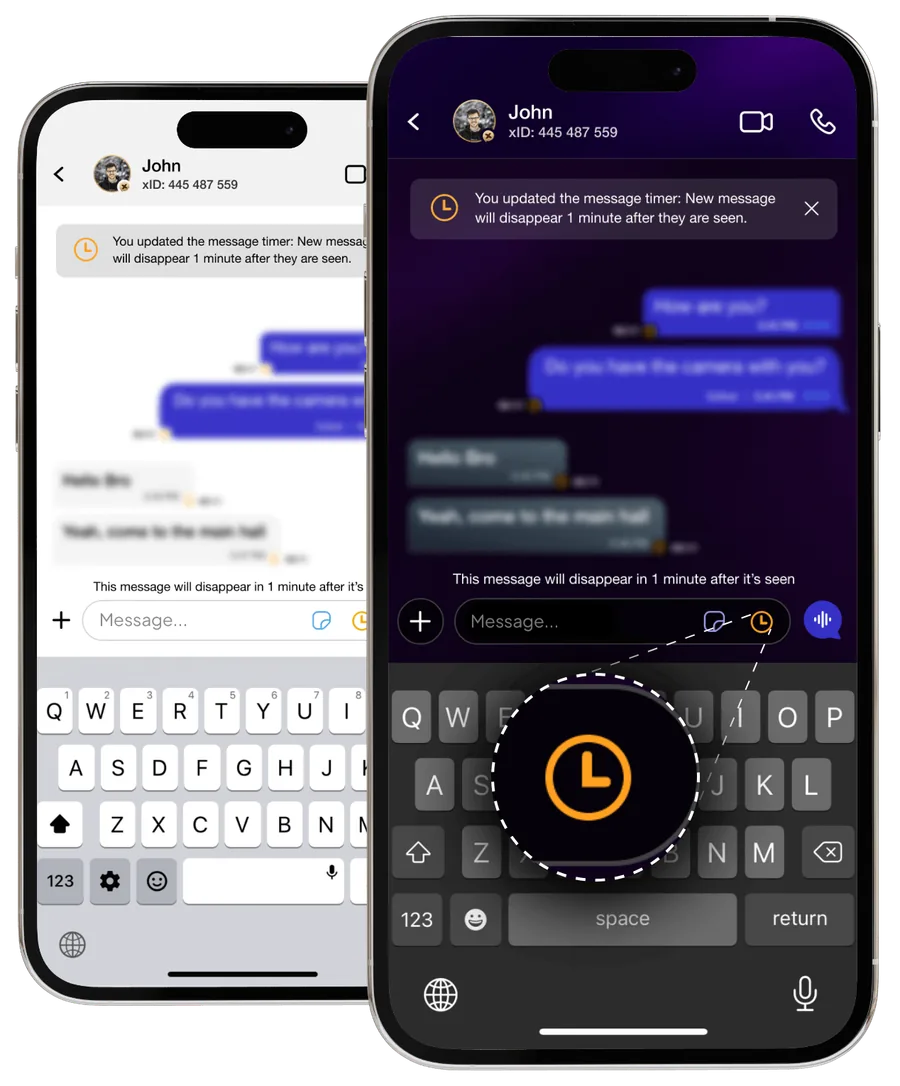
Flicker™. Messages that disappear after they’re seen. You set the timer.
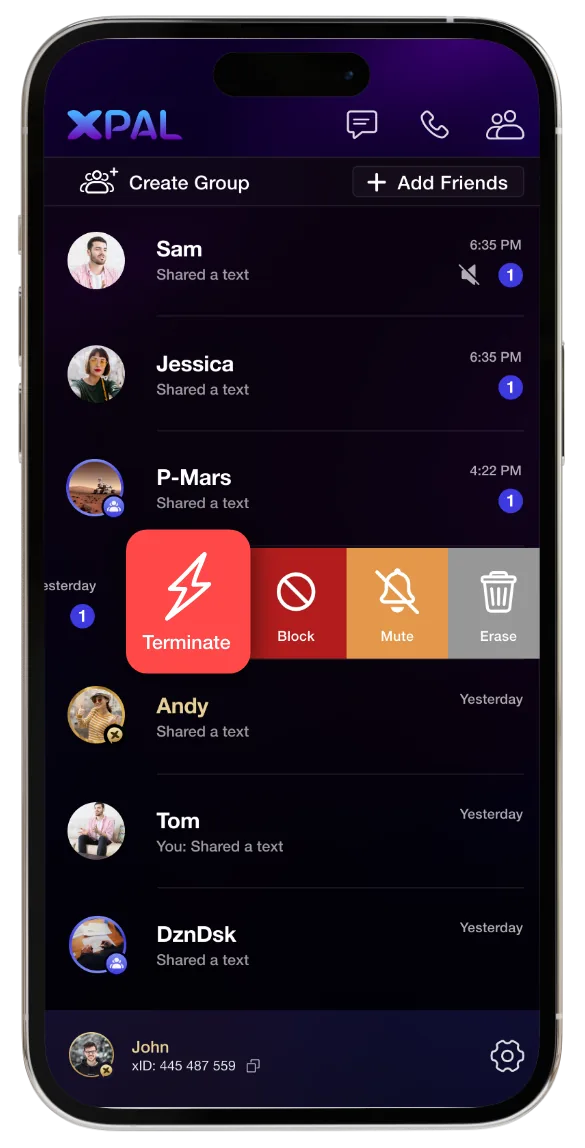
Terminate™. End a conversation and erase it from both devices.
Total Wipeout™. Enter your PIN in reverse to clear your communication history in an emergency.
PIN
1234
Reverse
4321
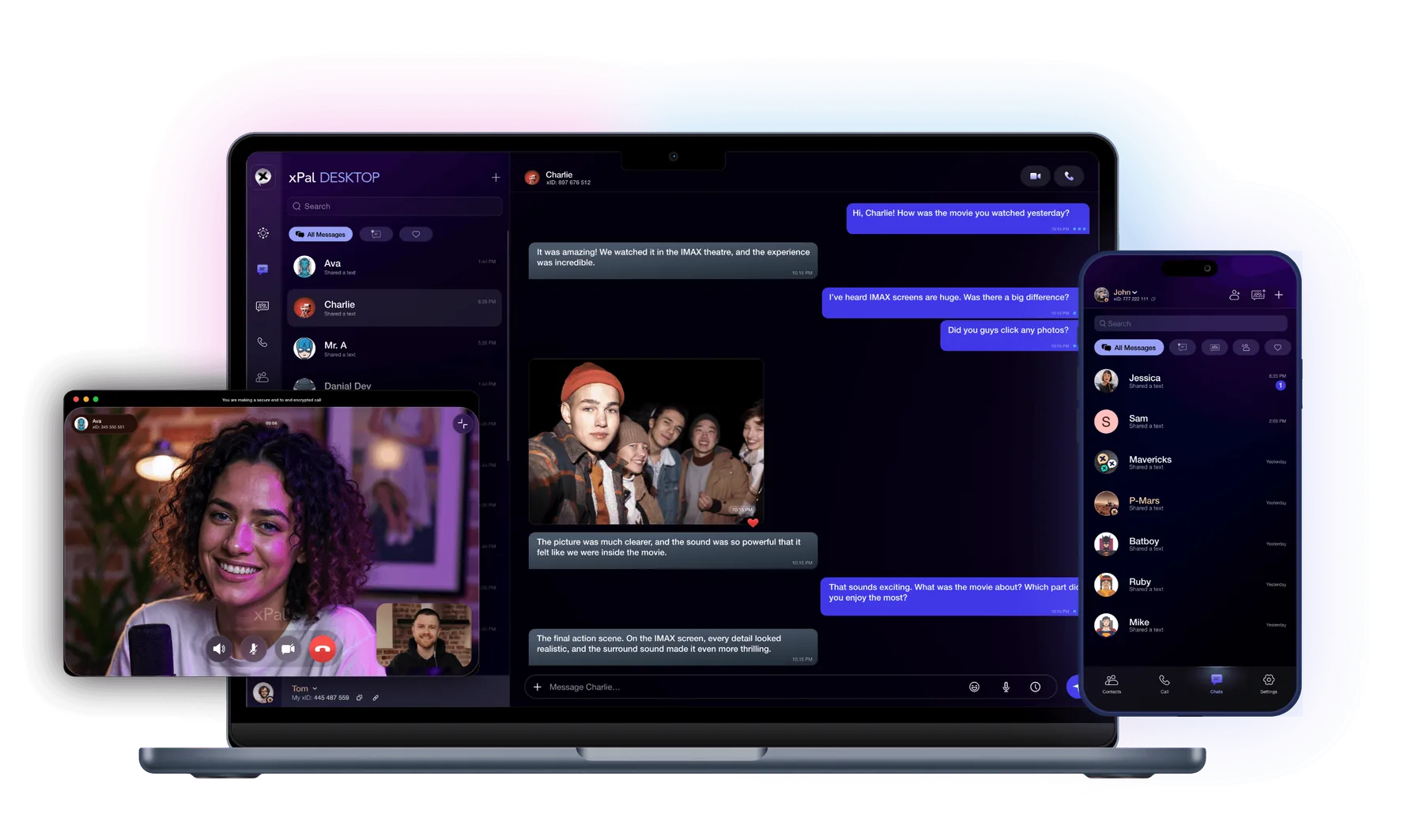
Everywhere. iPhone, Android, Mac, Windows and the web.
Privacy starts with your identity
No phone number.No email.Just xID.
Most messengers start by asking who you are. xPal starts by giving you a random 9-digit xID® that says nothing about you.
Typical sign-up
- Full nameNot required: Jane A. Doe
- Mobile numberNot required: +1 (415) 555-0142
- EmailNot required: [email protected]
- ContactsNot required: Allow access to 1,284 contacts
- LocationNot required: San Francisco, CA
Sign up with xPal
- 1Pick a username
- 2Set a 4- or 6-digit PIN
Your xID
Sample xID: 777 311 555
Sample xID
No country or area codes.
An xID is global from day one — nothing in it reveals where you live.
No contact upload.
xPal doesn’t access your address book or other device data.
You decide who reaches you.
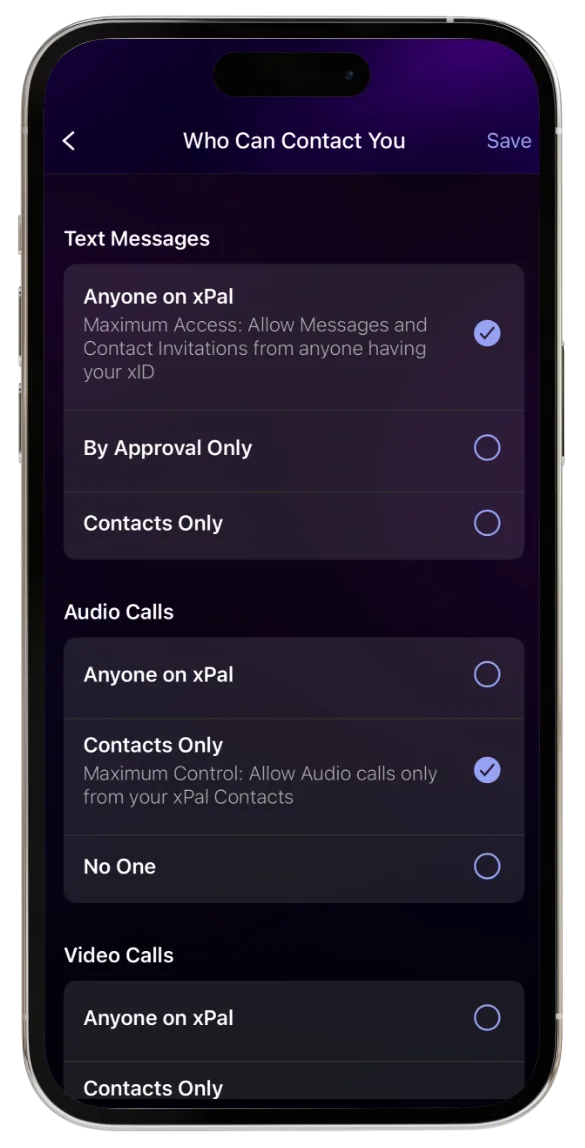
Decide who can message you and who can call you — separately for messages, audio and video.
Up to three xIDs per device.
Keep different parts of your life apart, on Free and Gold.
Messaging
Every conversation.Yours alone.
Every message is encrypted on your device and can only be decrypted on the devices of the people you’re talking to. Not by xPal. Not by anyone in between.
9:41
Jessica
xID: 445 487 559
Mavericks
You, John, Alice, Central office
Are we still on for tonight?
6:31 PM
Yes — 8pm, usual place.
6:32 PM
 Here’s the spot.
6:34 PM
0:07
Altered voice note
6:35 PM
01
End-to-end encrypted by default.
Texts, photos, videos, voice notes and files — protected the moment you hit send. On Free and Gold alike.
02
Photos without the fingerprints.
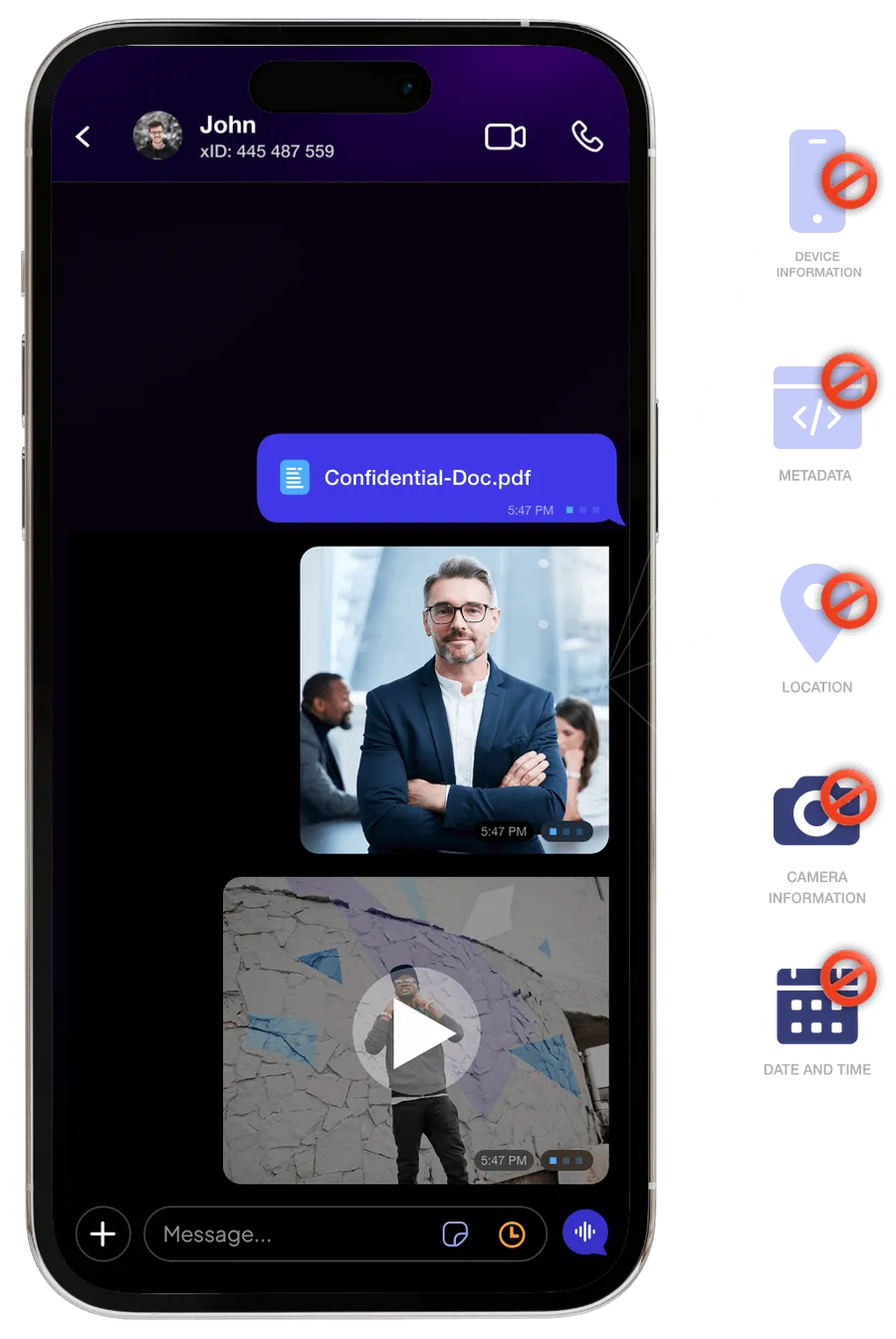
Photo & Video Sanitizer™ strips hidden metadata — location, date, time and device details — before a file is encrypted and sent.
03
Voice notes, your way.
Send a voice note as-is, or as an altered voice note that disguises how you sound.
04
Private groups.
Encrypted group chats with up to 50 members on Free and 100 on Gold. Only mutual contacts see your xID — everyone else sees your username.
Audio & video calls
Closer conversations.Stronger privacy.
See the smile. Hear the laugh. xPal calls are end-to-end encrypted, so the moment stays between the two of you.
Encrypted end to end.
Your voice and video are encrypted on your device and decrypted only on theirs.
Your IP stays yours.
When a direct connection isn’t possible, calls route through a relay, so the other person doesn’t see your IP address.
You choose who can call.
Anyone on xPal, contacts only, or no one — for audio and video separately.
Flicker™ Mode
Some moments aremeant to disappear.
Turn on Flicker from the clock icon in any chat, pick a timer, and new messages disappear from both devices after they’re seen.
Available on Free and Gold. Flicker doesn’t stop someone from photographing their screen with another device.
5:31
John
xID: 445 487 559
How are you?
5:28 PM
Good. Can you talk later?
5:29 PM
You set the message timer. New messages will disappear 1 minute after they are seen.
Meet at the north entrance. 7:40.
5:31 PM
Terminate™ Mode
End the conversation.Completely.
Deleting a chat normally removes it only from your phone. Terminate deletes the entire conversation from your device — and, once the command is processed, from theirs.
Your phone
9:41
Chats
Jessica6:35 PM
Shared a text
Mavericks5:45 PM
Alice: Good suggestion
P-Mars
TerminateBlockMuteErase
RubyYesterday
Voice note · 0:12
Their phone
9:41
Alex
xID: 662 104 908
Can you send the signed copy tonight?
9:02 PM
Sending it now. Please don’t forward it.
9:03 PM
Got it. Thank you 🙏
9:04 PM
Chats
No conversation with Alex
Command sent… Conversation terminated · Contact removed
The whole conversation.
Messages and shared media in that chat are deleted on both sides.
The connection itself.
Your xID is removed from their contacts and future contact is blocked.
Even if they’re offline.
Their copy is erased as soon as their device receives the command.
Terminate™ is an xPal Gold feature. It can’t remove copies captured outside xPal, such as a photo of a screen taken with another device.
Total Wipeout™
Your privacy.Your final call.
In an emergency, enter your PIN in reverse. xPal clears your communication history — messages, call history and shared media — from your device and from the devices of the people you chatted with.
Try it with a sample PIN
Sample PIN is 1234. Enter 4321 to trigger Total Wipeout.
0 of 4 digits entered.
Try 4321
Screen recording · earlier xPal interface
No warning. No undo.
It’s designed for the moment you can’t explain yourself.
Your account stays.
Your xID remains active. Contacts are hidden until you unlock again with your normal PIN.
Silent on the other side.
The people you chatted with aren’t notified — they just see that the history is gone.
Total Wipeout™ must be enabled in Settings first and is an xPal Gold feature. Demo uses a sample PIN — never enter real credentials on a website.
How Total Wipeout worksTake a closer look.
More ways to stay in control, built into every account.

Decoy PIN



xPal everywhere
Your world.Your devices.
Start on your phone, continue on your desktop. xPal Desktop and xPal on the web pair with your account, so long conversations get a bigger screen.
iPhone
iOS 15.6 or later
Android
Android 10 or later, 3 GB RAM
Mac
xPal Desktop for macOS
Windows
xPal Desktop for Windows
Web
Any modern browser
Your xID is active on one primary mobile device at a time. Desktop and web clients link to that account; signing in on a new phone signs out the previous one.

Your private files deservea private place.
Xave is an encrypted vault for the photos, videos and documents you’d rather keep to yourself. Files stay on your device by default — under your control.
- Local by default.Files are stored encrypted on your device. Nothing leaves it unless you choose to back it up.
- Locked when you leave.Data is encrypted at rest when the app isn’t in use, and a 4- or 6-digit PIN is required every time you return.
- Works with xPal.Save files you receive in xPal straight to Xave, and send them back securely — no separate registration.
BetaXave Cloud backup is currently in beta.

Independently tested
Privacy is a promise.Security takes proof.
We don’t ask you to take our word for it. xPal’s cryptography and apps are reviewed by independent labs and programs — and the reports are public.
 DEKRAApp Defense AllianceOWASP
- 01
NIST
Cryptographic Algorithm Validation Program (CAVP)
Algorithm validationValidation A7969 confirms xPal’s implementations of its cryptographic algorithms produce correct results.
- 02
DEKRA
Independent security evaluations
Application security testingThird-party lab evaluations of the xPal app, including MASA Android compliance testing.
- 03
App Defense Alliance
CASA & MASA assessments
Application security assessmentAssessments under the App Defense Alliance framework, including the Cloud Application Security Assessment (CASA).
- 04
OWASP
Secure Coding Practices
Development practicexPal is developed in line with the OWASP Secure Coding Practices. This is our own commitment, not a third-party certification.
NIST CAVP validates the correctness of specific cryptographic algorithm implementations. It is not a certification of the complete xPal product, and xPal is not FIPS 140-3 validated.
What’s under the hood.
End-to-end encryption built on the Double Ratchet algorithm with PreKeys, triple Elliptic-curve Diffie–Hellman (3-DH) on Curve25519, AES-256 and HMAC-SHA256. Data in transit to our servers uses TLS 1.3.
What xPal keeps — and doesn’t.
Never collected
- Your name
- Phone number
- Contacts
- Location
To run the service, xPal stores your username, xID, registration date, last login time, operating system and country. Delivered messages are removed from our servers; undelivered ones are held encrypted for up to 36 hours (text) or 24 hours (media).

xPal Gold
More freedom.More possibilities.
Every account gets the same encryption and core privacy protections. Gold adds the tools for when you need more — more people, more media, more control.
Unlimited video calls
Incoming and outgoing, with no time limit.
HD photos & videos
Send uncompressed media, and restrict downloads.
Groups of 100
Double the Free group size.
Terminate™
Erase a conversation from both devices.
Total Wipeout™
Reverse-PIN emergency wipe.
Decoy PIN
A second PIN that opens a hidden mode.
Lifetime
Best value$99.99$199.99
one-time
Limited-time offer. Transferable. Non-refundable.
Gold doesn’t change your encryption — it’s identical on Free.
Prices in USD as listed on xpal.com/buyxid on 13 Oct 2026. Taxes and in-app store pricing may vary.
Facing economic hardship or censorship? Message the xPal support xID with your country for a complimentary upgrade.
Privacy shouldn’t bea privilege.
Take control of your conversations. Start with xPal.
9:41
 XPAL
XPALYour xID
862 056 368
ContinueQuestions? Answers.
Do I need a phone number or email to use xPal?
No. Choose a username and a 4- or 6-digit PIN, and xPal gives you a unique 9-digit xID. No phone number, email or SIM card is required.
What is an xID®?
Your xID is a private, global 9-digit identity used for encrypted texts and calls. It has no country or area code and reveals nothing about you. You can hold up to three xIDs per device.
What does “NIST CAVP validated” mean?
The NIST Cryptographic Algorithm Validation Program tested xPal’s cryptographic algorithm implementations (validation A7969) and confirmed they produce correct results. It validates the algorithms, not the entire app, and is not FIPS 140-3 validation.
Has xPal been independently audited?
Yes. xPal has completed third-party security evaluations by DEKRA and assessments under the App Defense Alliance framework. The reports are linked in the security section above.
Does xPal access my contacts?
No. xPal doesn’t access your address book or other device data. You add people by sharing invitations or xIDs.
What is Xave?
Xave is xPal’s encrypted file vault. It stores private photos, videos and documents encrypted on your device. Optional Xave Cloud backup is currently in beta.
What happens if I forget my PIN?
xPal doesn’t store your credentials, so it can’t recover a PIN for you. Set up a backup plan during account setup.